

Why I Built Three Different Claude Projects (And What Each One Does)
An introduction to purpose-built AI assistants for creative writing

Most people use Claude like a search engine. They open a chat, ask a question, get an answer, and move on. The next day, they start fresh with a blank slate. No memory, no context, no continuity.
I used to work that way too. And honestly, the results were fine. Useful, even. But they were also generic. Claude didn’t know my voice, my projects, or my preferences. Every conversation started from zero, and the output reflected that—competent but impersonal, helpful but interchangeable with what anyone else might get.
Then I discovered Claude’s Projects feature, and everything changed.
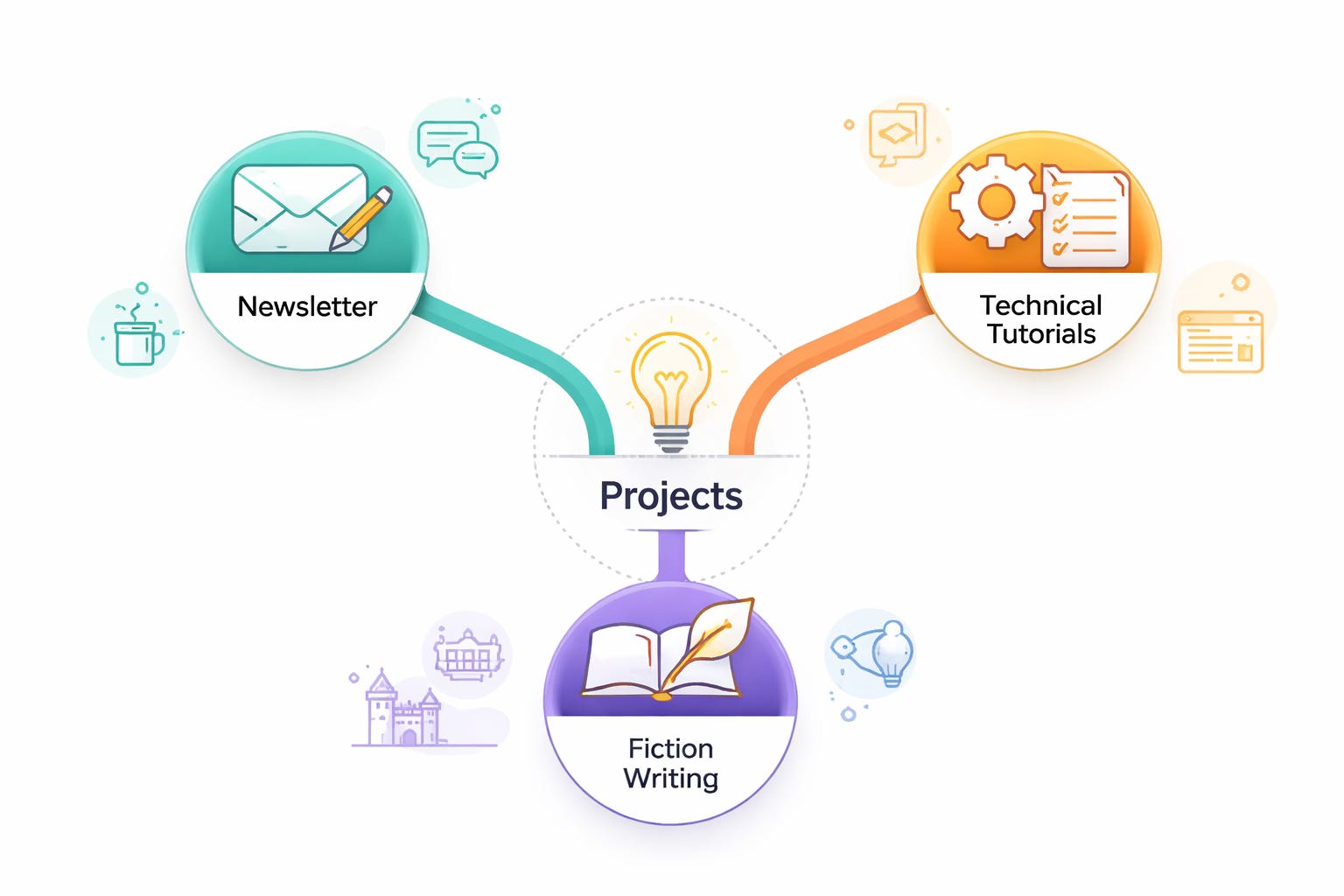
I now have three separate Claude projects, each trained for a specific type of creative work. One handles my weekly newsletter. Another produces technical tutorials. The third assists with my long-form fiction. Each operates under different instructions, processes different reference material, and behaves in distinctly different ways.
The difference in output quality isn’t subtle. It’s transformative.
The One-Size-Fits-All Problem
The problem with generic AI conversations is that without context, Claude has to guess. It guesses at your tone, your level of expertise, your preferences, and your goals. Sometimes it guesses right. Often it doesn’t.
I noticed this most acutely when I started using AI for different types of writing. My weekly newsletter has a relaxed, conversational voice; honest, occasionally self-deprecating, the way you’d talk to a friend over coffee. My technical tutorials need a different approach: still accessible but more structured and instructional. And my fiction? That requires something else entirely: deep knowledge of characters, plot threads, world-building rules, and a style that serves the story rather than explaining concepts.
One set of instructions couldn’t possibly serve all three purposes. The tone that works for my newsletter would feel too casual for tutorials. The instructional approach of tutorials would flatten my fiction. And the detailed story-tracking my novel requires would be completely irrelevant to a blog post about AI workflows.
The solution wasn’t to find a perfect middle ground. It was to stop looking for one.
The Solution: Purpose-Built Projects
Claude’s Projects feature lets you create persistent workspaces with custom instructions and uploaded reference material. Think of each project as training a specialist assistant for a specific job.
When you open a project, Claude already knows the context. It understands the role you want it to play. It has access to reference material that shapes its responses. The instructions you’ve written guide every interaction, ensuring consistency across conversations that might span weeks or months.
This isn’t just convenient; it fundamentally changes what AI assistance can do for creative work.
Instead of starting each session by explaining who you are, what you’re working on, and how you want Claude to respond, you continue where you left off. The project remembers. Not the specific conversation history (that still resets), but the context, the voice, the rules, the reference material. Everything that makes your work yours.
My Three Projects
Let me walk you through what I’ve built, so you can see how this works in practice.
Writer on the Edge: Newsletter Production
This is my weekly newsletter: personal reflections on creativity, the writing life, and the journey of a late-blooming author. I’ve published it every week for over two and a half years without missing once.
The challenge: I capture most of my ideas through dictation during dog walks and commutes. Raw transcriptions are messy, full of filler words, false starts, and the general chaos of thinking out loud. Cleaning them up manually was eating hours I didn’t have.
The project setup: I uploaded over a hundred past newsletter posts as reference material. The instructions prioritize voice preservation above all else. Claude knows my style is relaxed, honest, and semi-informal. It knows I favor a conversational flow over rigid structure.
The key instruction: A trigger keyword, “Reformat”, tells Claude exactly how to process raw transcription. Clean up the mechanics, suggest structure, but never, under any circumstances, flatten my voice or alter my text into something generic.
The result: What used to take hours now takes minutes. Claude handles the tedious cleanup while I focus on the parts that actually matter: the ideas, the perspective, the authentic voice that makes my newsletter mine.
Your Creative Edge: Technical Tutorials
This is my companion publication focused on AI-assisted writing workflows. Where Writer on the Edge covers the “why” and the personal journey, Your Creative Edge handles the “how”, step-by-step guides, prompt templates, and tool comparisons.
The challenge: Instructional content has different demands than personal essays. It needs to be structured, practical, and actionable. Readers should be able to follow along and apply what they learn. But it still needs to sound like me, not like a corporate manual.
The project setup: The instructions define a role—a creative writing instructor with AI expertise, and establish a tone that’s instructional yet accessible. Every article must include practical elements: prompts readers can copy, templates they can adapt, and steps they can follow.
The key instruction: When content feels “stilted and boring” (a real risk with technical writing), transform it by adding concrete examples, breaking up dense explanations with practical applications, and ensuring every section delivers clear value.
The result: I can produce useful tutorials that teach without lecturing, that share expertise without becoming dry, and that maintain my voice even when explaining technical concepts.
Long-Form Fiction Project
This is my current long-form fiction project will likely be a trilogy spanning multiple generations and timelines. At over 100,000 words and counting, it’s by far my most complex creative project, so far.
The challenge: Tracking everything. Dozens of characters with distinct voices, arcs, and relationships. A timeline that spans decades. World-building rules that must remain consistent. Plot threads that need to pay off hundreds of pages after they’re planted. One slip in continuity and readers lose trust.
The project setup: This project contains character sheets with speaking styles, relationship maps, and key traits. It includes timeline documentation, world-building rules, and detailed writing style preferences (what to do and what to avoid). The instructions tell Claude to act as a story consultant who tracks continuity, never as a ghostwriter.
The key instructions: Two trigger keywords serve different purposes. “Reformat” cleans up dictated scenes while preserving my prose. “Restructure:” improves pacing and emotional beats without changing content. Both maintain a hard line: Claude assists, but never writes for me.
The result: I have a tireless assistant who remembers that a character uses Dutch phrases when emotional, who flags when I’ve contradicted an earlier plot point, and who can brainstorm solutions when I’ve written myself into a corner, all while respecting that this is my story, not its.
What Makes Each Project Different
Looking at these three projects, the differences become clear:
The role Claude plays:
Newsletter: Editorial assistant who cleans and polishes
Tutorial: Writing instructor who structures and clarifies
Fiction: Story consultant who tracks and suggests
The tone required:
Newsletter: Relaxed, personal, conversational
Tutorial: Instructional, practical, accessible
Fiction: Invisible—Claude’s job is to preserve my voice, not add its own
The reference material:
Newsletter: 100+ past posts demonstrating my style
Tutorial: Structural templates and quality checklists
Fiction: Character sheets, timeline, world-building bible, manuscript excerpts
The boundaries:
Newsletter: Polish, but preserve my voice and text
Tutorial: Add structure and examples, but stay practical
Fiction: Never write prose for me; suggest only
Why This Matters for Your Creative Work
Here’s what I want you to take away: your projects aren’t my projects. The specifics of what I’ve built reflect my particular creative needs, my voice, and my workflow. Yours will be different.
But the framework transfers.
Whatever creative work you do; fiction, non-fiction, poetry, screenwriting, game design, journalism, you can build purpose-specific AI assistants that genuinely understand what you’re trying to accomplish. The investment is in the setup: one thoughtful hour defining your instructions, gathering your reference material, and establishing your boundaries saves dozens of frustrating hours later.
Generic AI produces generic results. Purpose-built AI produces something genuinely useful.
Coming Up in This Series
Over the next four articles, I’ll take you inside each of these projects in more detail:
The Newsletter Workflow: from dog walk dictation to published draft
Creating Technical Tutorials : that teach without boring
Using Claude for Long-Form Fiction : without losing creative control
Building Your Own Claude Project : a template and checklist you can adapt
By the end, you’ll have everything you need to create your own purpose-built AI assistants for whatever creative work matters to you.
Final Thoughts
I spent months generically using AI before I figured this out. It worked, sort of. But looking back, I was leaving enormous value on the table.
The shift from generic conversations to purpose-built projects wasn’t just an incremental improvement. It changed what AI assistance could do for my creative work. Instead of a tool that sometimes helped, I now have specialist assistants who consistently deliver exactly what I need.
The investment is in the setup, not the daily use. Once your projects are configured, they work. Every conversation builds on the foundation you’ve established. Every output reflects the instructions you’ve defined.
If you’re using Claude for creative work and you haven’t explored Projects yet, I’d encourage you to experiment. Start with one project for your most frequent use case. Define the role, establish the tone, and upload some reference material. See what happens when AI actually understands what you’re trying to do.
The difference might surprise you.
Next: Inside my newsletter workflow—how dictation, transcription, and Claude come together to produce Writer on the Edge every weekend.
